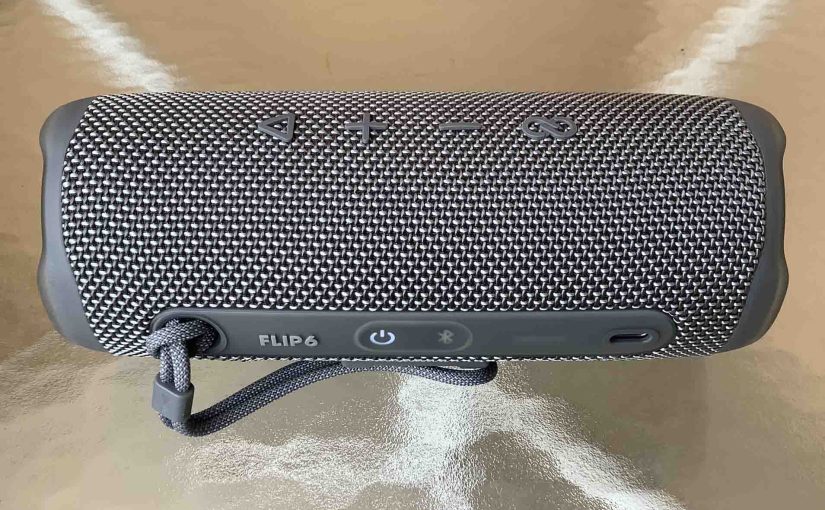
Covers the Bass Mode Flip 6 feature. But unfortunately, turning ON and OFF the bass boost on the Flip 6 does not work. Hopefully, JBL will add this feature back on in a later version of the firmware.
But if this did work, it might function as follows, just as it has on other JBL Flip speakers. Now when ON, this mode makes the passive bass radiators vibrate more. Furthermore, bass boost adds a “thumpy” aspect to the content playing. And which makes this speaker sound much bigger than it really is.
Bass Mode Flip 6: How to Use
First off, by default, this BT speaker has this bass boost ON. So you already get more treble and lots of extra bass to the audio output. You just can’t turn it OFF.

Bass Mode Flip 6: How to Turn it OFF
Someday, we hope that you’ll be able to turn the boost OFF. This would work by pressing the Volume Down (-) and Bluetooth buttons.
Then you would hold them in for about ten seconds, or until the oval ring lights up. Find these buttons on the top of the speaker.

Also, to turn extra bass boost back on, again, press the Volume Down and Bluetooth buttons. Then hold them in until the oval button ring lights up again. Then release them. Finally, when the ring goes off, bass boost is in effect once more.
Qualifiers
- Testing bass boost, we find that it works neither on firmware versions 0.5.2.0 nor 0.6.4.0.