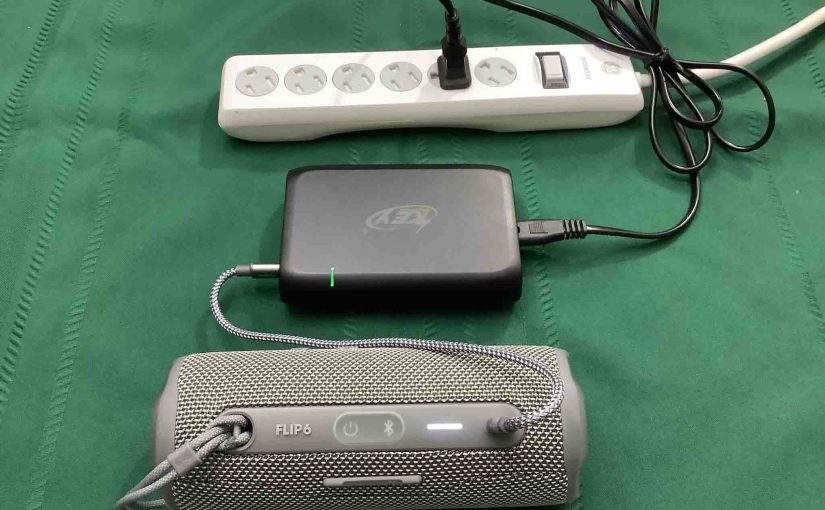
Can You Connect Flip 6 Via USB-C? Yes, you can play audio through this speaker via a USB C cable instead of Bluetooth. Details follow.
Can You Connect Flip 6 Via USB-C: Yes, and Here’s How
How to Turn It ON
Note that while in AUX mode, the Flip is not able to connect to other devices via Bluetooth. Also, the Flip draws power from the connected device, charging its battery with the power received from that device. Furthermore, the Volume buttons on the Flip do not work. Instead, use those controls on the source device to adjust the loudness.
1. Turn ON the unit by pressing the -Power- button.

2. Press and hold the Bluetooth and Play-Pause buttons for around ten seconds.

3. After ten seconds, the speaker shuts down momentarily, then powers back up. It does not make any Bluetooth connections with any nearby devices now.
4. The Flip will now play audio via the USB-C cable, streamed from the connected device. Listen until your heart’s content, or the battery on your source device dies.
How to Turn It OFF
1. Press and hold the Bluetooth and Play-Pause buttons for around ten seconds.
2. After ten seconds, the Flip shuts down momentarily, then powers back up. It now is back in regular Bluetooth mode, and so, pairs with nearby devices that it knows about..
3. Power OFF the Flip if you do not wish to use it at this point.

Use A USB-C Cable to Charge the Flip As Well
In addition to an audio connection, the USB-C port also supports charging of this speaker. See our Flip 6 Charging Instructions post for details.
Other Flip 6 Posts
- How Long Does Flip 6 Last
- Infinity Sign
- Does the Flip 6 Come With a Charger
- How Long for Flip 6 to Charge
- How to Connect To a Flip 6
- Why Is My Flip 6 Beeping When I Plug It In
- Can You Play While Charging
- How to Know If My Flip 6 Is Fully Charged
- How to Turn ON LFM
- How to Check Battery Level