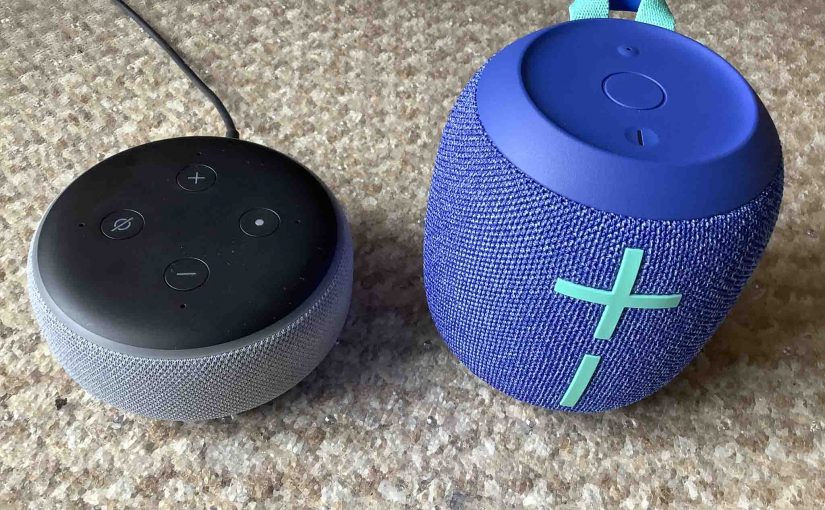
Here, we show how to factory reset the UE Wonderboom 2 portable BT speaker. which returns the speaker to its factory default settings.
Factory resetting wipes any paired Bluetooth devices from memory. Moreover, clearing this data prevents the unit from auto linking to any nearby devices after the reset. Further, you might factory reset this speaker to ready it for sale or re-gifting. Or, perhaps you just want to stop it from pairing with devices you no longer listen to on it when you power it up.
How to Factory Reset the UE Wonderboom 2, Step by Step
1. Turn on the UE Wonderboom 2
Press and release the Power button.
The status lamp in that button then lights up, and you hear a power-up sound. E.g. We circled the Power button in the next picture.
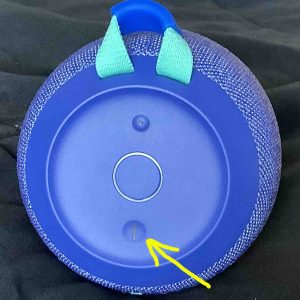
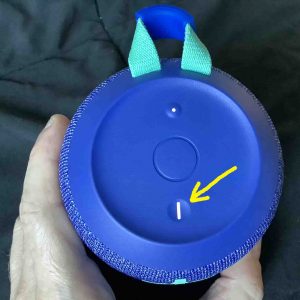
Then, the status light comes on solid or it blinks, as shown next.
2. Wait for the Power Up Sound
The Wonderboom 2 UE speaker makes an interesting electronic sounding noise when it boots. When you hear this, the unit is then ready for use.
Now this speaker may or may not pair with a device. This depends on whether you have any in-range Bluetooth devices that know about the UE Wonderboom 2. But whether paired or not, the factory reset works as follows.
3. Be Sure the UE Wonderboom 2 is Not Paired with Anything Prior to Reset
This speaker may not answer the factory reset command while linked with a source Bluetooth device. So disconnect it before resetting.
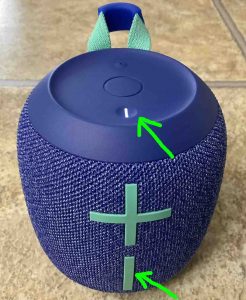
4. Press the Power and the Volume DOWN Button Together for Five to Eight Seconds
Find the Power and Volume DOWN buttons. The Power button is on the top of the speaker, near the front. Volume DOWN is the long plum line on the front, near the bottom. See these both pointed out by the green arrows in the next picture.
The UE Wonderboom 2 then enters the factory reset operation.
Next, the falling electronic ker-plunk sound plays. Then the lamp in the Power button goes dark, as shown next.
Finally, within a couple seconds, the unit switches off.
5. Check that your UE Wonderboom 2 Did Indeed Factory Reset
Next, power on the 2 again, as detailed in step 1 above.
After factory reset, the unit comes up in ready-to-connect mode, with the Pairing lamp rapidly flashing white.
6. Done with How to Factory Reset the UE Wonderboom 2 Bluetooth Speaker !
The factory reset program concludes now. So go ahead and gift or sell the speaker, or connect it anew with your BT devices.
Finally, don’t forget to delete any now-stale connections to the UE Wonderboom 2 from your source BT devices that you set up before factory resetting. Why? Because these will no longer work since the linkage data for them is now gone from the speaker. Thus you should “forget” them in your source device’s settings pages.
Other Posts About the UE Wonderboom 2 Speaker
- How to Put UE Wonderboom 2 in Pairing Mode
- Making the UE Wonderboom 2 Discoverable
- How to Connect UE Wonderboom 2 with iPhone
- UE Wonderboom 2 Charge Time, Time to Full Charging
Related Posts to How to Factory Reset the UE Wonderboom 2 Wireless Speaker
- How to Factory Reset the JBL Charge 5 BT Speaker
- Factory Resetting the Echo Dot 2 Smart Speaker
- How to Factory Reset Google Home Original Speaker
- How to Factory Reset JBL Speaker
- Factory Resetting the Chromecast Audio Device
References for How to Factory Reset Wonderboom 2 Speaker
Change History
- 2021-08-10: First released.