Tag: SRS XB41
-

How to Put Sony SRS XB41 in Pairing Mode
This post explains How to Put Sony SRS XB41 in Pairing Mode, so that common smart devices can find and pair to it, including practically all tablets and phones of the Apple and Android platforms. How to Put Sony SRS XB41 in Pairing Mode: Step by Step With your SRS XB41 not running (power button…
-

Sony SRS XB41 Pairing
This post offers Sony SRS XB41 pairing instructions, for common smart devices, including practically all tablets and phones of the Apple and Android platforms. Sony SRS XB41 Pairing, Step by Step With your SRS XB41 not running (power button is dark), perform these directions to pair it to your source BT mobile device. We’re using…
-

Sony SRS XB41 Charge Time
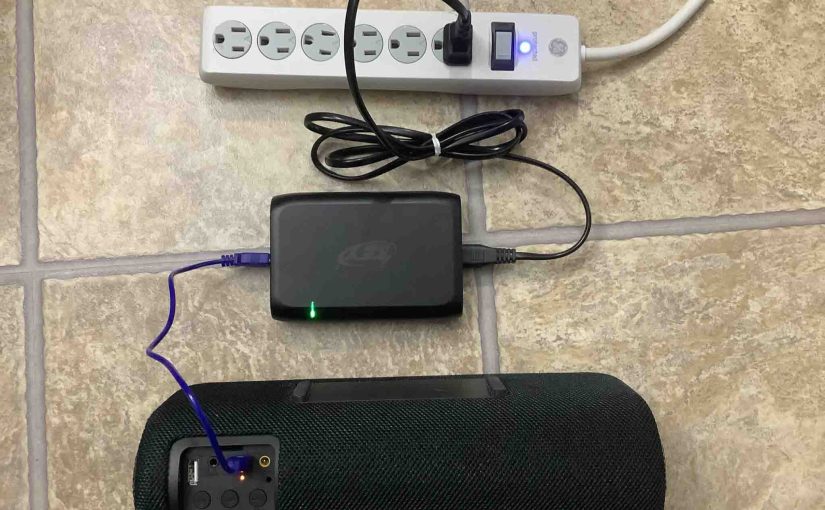
You charge the Sony SRS XB41 via the barrel style DC port. This gives the fastest charging. Or you can chare via the slower micro USB port. Furthermore, to get the quickest USB charge time, use a medium to full current USB charger. But for the quickest charge, use the charger that comes with the…
-

Sony SRS XB41 Charging Indicator
The Sony SRS XB41 Charging Indicator LED lamp in the back button panel, just above the USB power input port. This shows charging status in a coarse way. Specifically, whether the speaker is draining or charging, or whether it’s low or not. But it does not show exact charging progress, or precisely how much charge…
-

Sony SRS XB41 Battery Indicator
The Sony SRS XB41 battery indicator LED lamp in the back button panel, just above the USB power input port. This shows battery status in a coarse way. Specifically, whether the battery is draining or charging, or whether it’s low or not. But it does not show exact charging progress, or precisely how full the…


