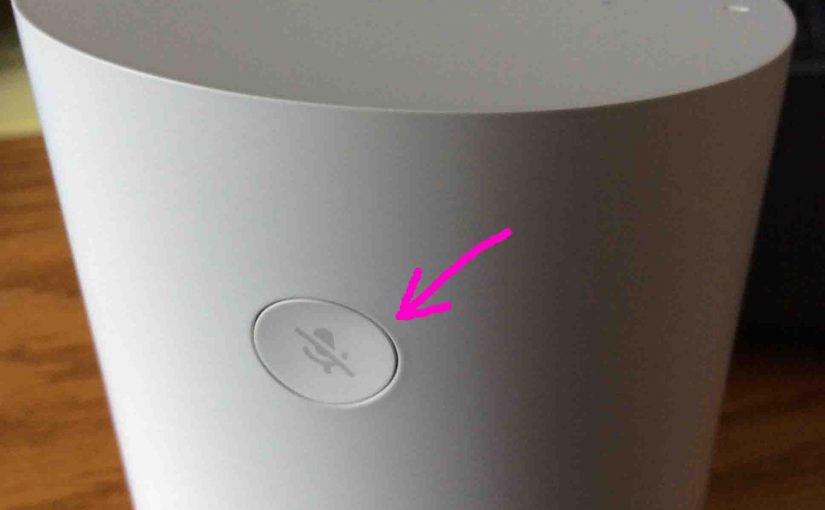
Where is the Google Home Speaker reset button? Well, on some speakers, it’s in the front. Further, some have it on the back. But still others either use a button press combo to run reset. Or they have no reset function at all. But as it turns out, the original Google Home smart speaker features its reset button on the back. Moreover, it’s slightly recessed below the speaker case surface, to prevent accidental resets. Indeed, since this is at the rear of the speaker, this button is normally not visible. In fact, even when you peer at it from behind, it’s not that easy to see. Why? Because its color matches the surrounding case.
Where is Reset Button on Google Home Speaker
This button doubles as the Mic Off button, which is located in the rear of the Google Home speaker, near the top, as pictured next. How long you press it drives whether it acts as a mute button or a reset button. Give it a short press, and you turn the microphone off. But press it for more than a couple seconds, and you begin the speaker reset routine.
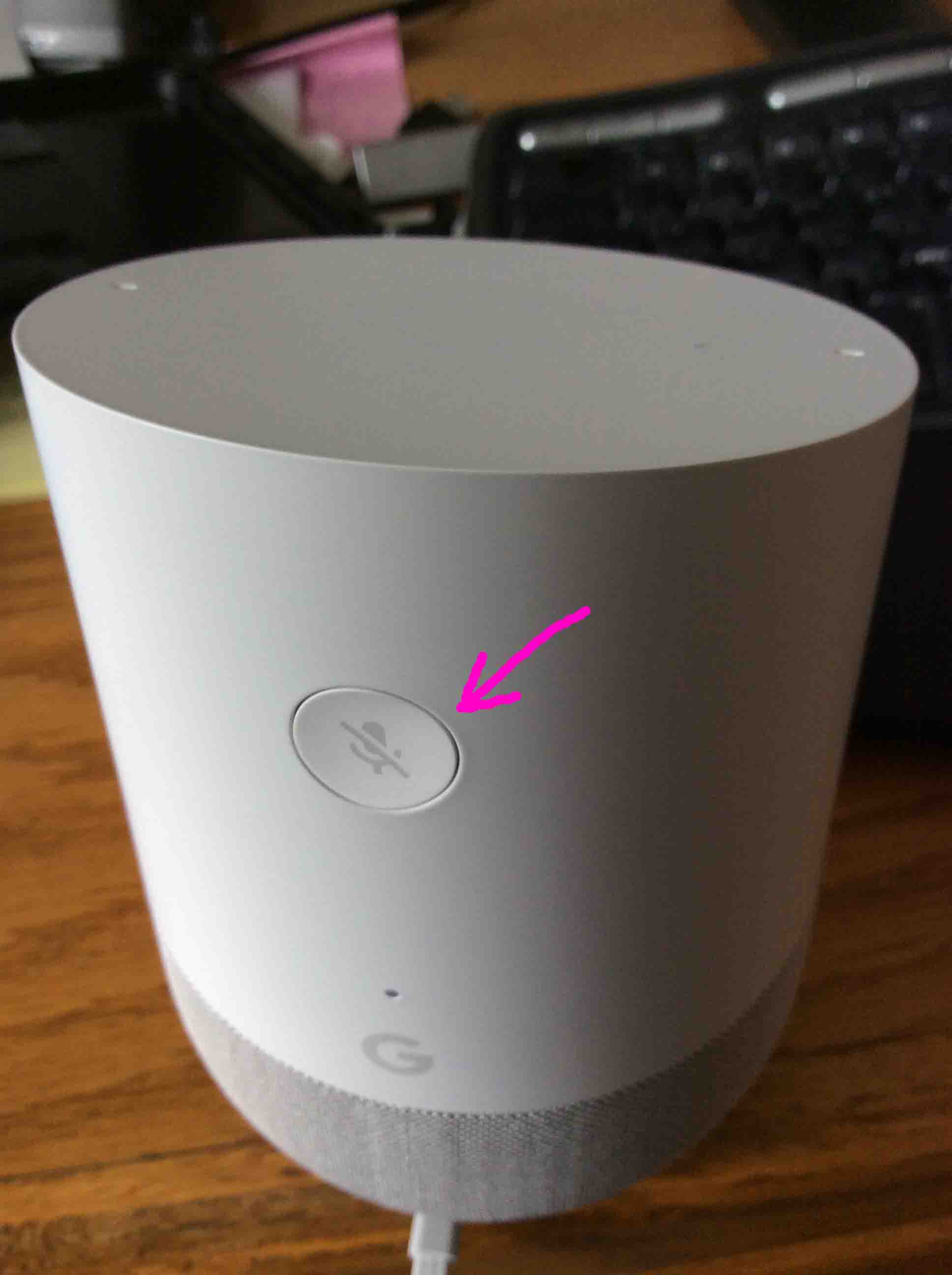
With the speaker turned on, press and hold the reset button here for five to ten seconds, to start a factory default hard reset. Furthermore, see our Resetting Google Home Smart Speaker to Factory Default State piece for more details.
Related Posts to Where is the Reset Button on Google Home
Other Posts About the Google Home Assistant Speaker
References
Revision History
-
- 2019-04-26: Added key phrase targeting.
- 2017-01-16: Originally published.