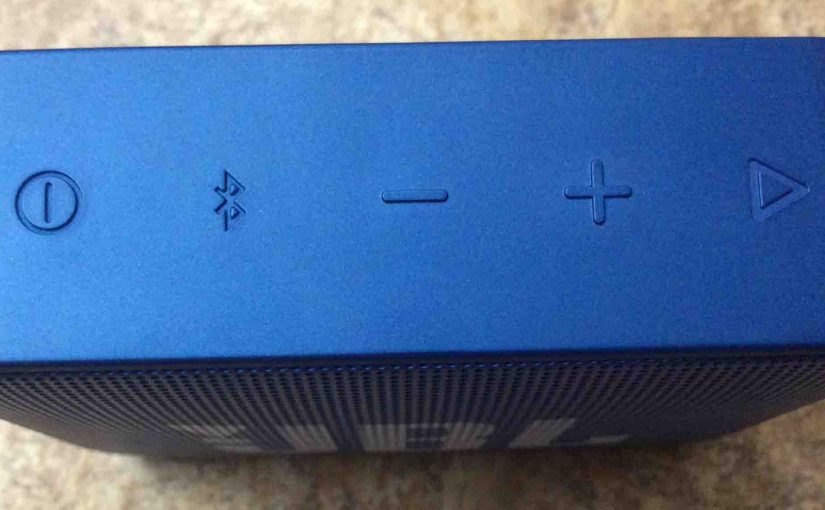
Here, we show where to find the Go JBL speaker reset button. Press a button duo to hard reset JBL Go and Go 2 Bluetooth speaker models. Yet unlike some other popular Bluetooth speakers, we find no single button on this one labeled as Reset. Thus to reset the Go speaker line, you use a button combination. For details on how this button chord works, see our JBL Go Hard Factory Reset Instructions post. Furthermore, see below for how to find the buttons involved in the reset button chord.
JBL Go Reset Button Location, How to Find It
To hard reset, find the Bluetooth and Volume UP buttons. First of all, find the Bluetooth button circled in the next picture, and is on the buttons panel side of the speaker. Next, the Volume UP button is to its right, on the other side of the Down (-) button, as also circled in the next picture.
Then, with the speaker turned on, press both of these buttons simultaneously, and hold them until the reset operation starts.
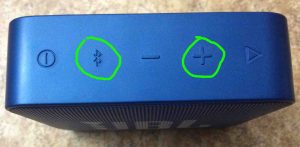
After Pressing this Reset Button Combination
The reset finishes quickly after depressing the BT-Plus button combo. The speaker powers down when it has erased any Bluetooth connections in its memory. Do this when gifting or selling the speaker. Or after a factory reset, pair it again with your favorite Bluetooth devices. The two-button chord makes it very hard to accidentally reset the speaker, although for some, resetting can be hard.
Related Posts to JBL Go 1 Reset Button
Other Posts About the JBL Go Tiny Bluetooth Speaker
References
Revision History
-
- 2019-05-17: Tuned the targeting for ‘JBL Go Reset Button’ and added tags.
- 2019-02-14: First published.